 Khana Khazanaa
Kitchen order ticket software
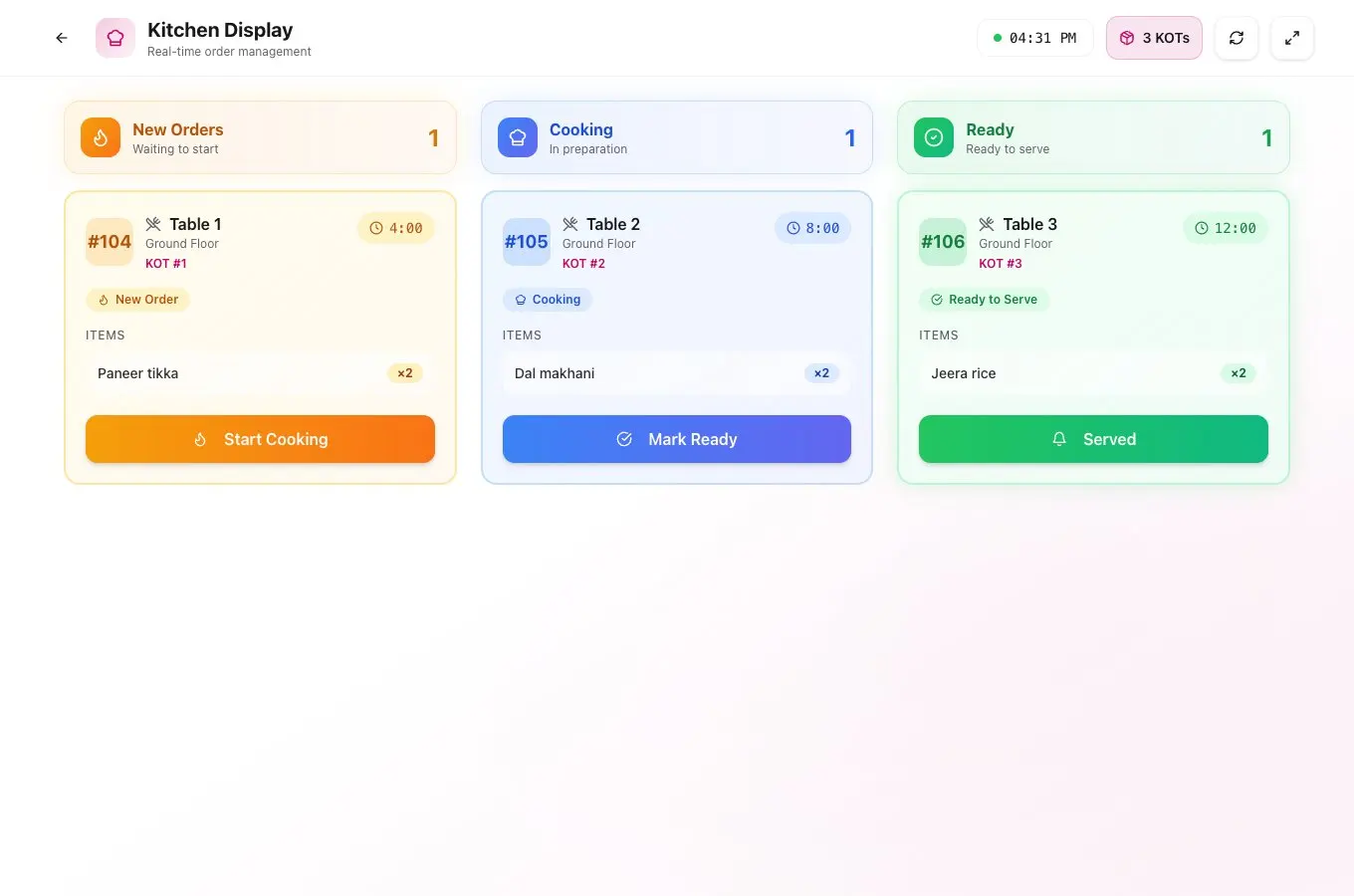
A kitchen order ticket (KOT) tells the kitchen which dishes to prepare. Khana Khazanaa sends tickets from restaurant orders to a kitchen display or compatible printers, with separate tickets for dishes added in later rounds.
One table, two rounds
When a table adds dishes, the kitchen can see what was ordered next.
Send the first round
The waiter enters the dishes, quantities and instructions for Table 07 and sends the first ticket.
Send the additions
When the table asks for another paneer tikka, send it as a new round. The next ticket carries the added item.
Track prep and service
The kitchen display shows order progress. At the counter, the customer bill brings the ordered items together.
Table 07
- Round 1
- 7:14 pm
- Paneer tikka
- × 1
- Jeera rice
- × 2
- Round 2
- 7:22 pm
- Paneer tikka
- × 1
Kitchen ticket questions
Can I print to more than one kitchen station?
Yes. Set up a printer for each station and route tickets by item, menu category or order type. For example, send drinks to the beverage station and hot food to the kitchen. Automatic routing requires compatible direct printer connections on the device that prints.
Can I use a kitchen display and paper KOTs?
Yes. The kitchen display tracks preparation on screen, and configured stations can receive paper tickets. Confirm the device, connection and printer model during setup, then run a sample order and a test print. You can also send orders from table QR codes to the kitchen.
How is a KOT different from a restaurant bill?
A KOT tells the kitchen what to prepare. The bill lists what the diner owes. See the side-by-side KOT and bill examples.